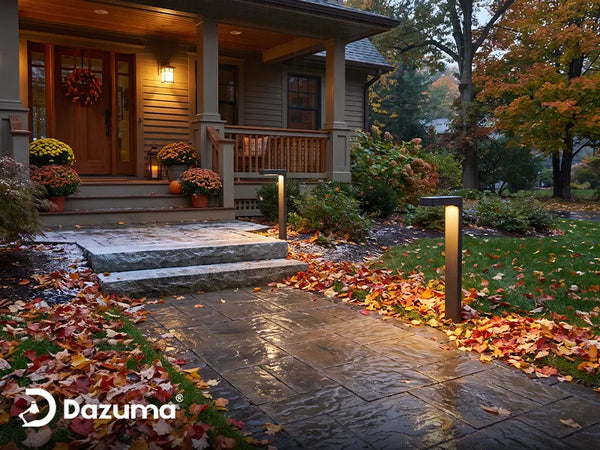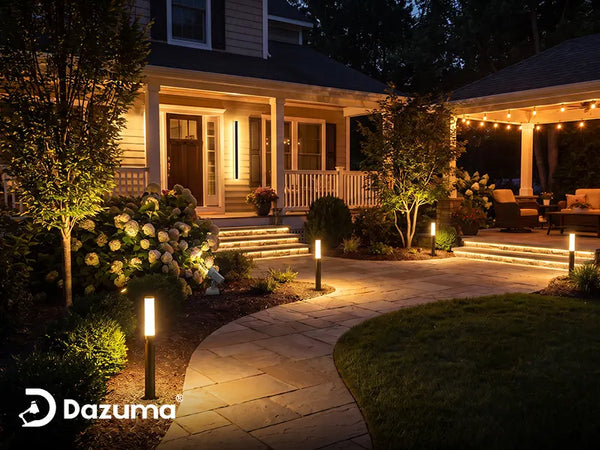

Who This Is For: This guide is for homeowners whose porch, path, patio, or decorative lights run on a timer and who want them to turn on when needed after the fall clock change. It also helps if you are unsure whether the lights use a mechanical timer, an astronomical schedule, a light sensor, or an app.
Introduction
When daylight saving time ends, clocks in most of the United States move back one hour. For 2026, that change is scheduled for Sunday, November 1 in areas that observe it. Your outdoor lights may suddenly appear to turn on or off at the wrong clock time, even though nothing has failed. At the same time, sunset has already been moving earlier for weeks, so a schedule that worked in summer may need a separate seasonal update.
Correct the control's clock if needed, then decide whether its events fit your routine. An automatically updated timer may still turn on too late for a dark front walk. A dusk sensor follows sunset without a clock.

The Quick Answer: Do Not Shift Every Schedule by One Hour
First identify what controls the lights. On a basic mechanical timer, set its present-time dial to the new local time after the change. Leave the on and off pins where they are if you still want the same clock times, then reconsider the on time because sunset is earlier. On a digital timer, check whether automatic daylight saving adjustment is enabled and verify the displayed time; correct it manually only if needed.
An astronomical timer may adjust both its clock for daylight saving time and its on event for local sunset, provided location, time zone, and daylight saving settings are right. A smart plug or app may update its clock automatically but can still have a schedule tied to the wrong time zone or a fixed summer hour. A dusk-to-dawn photocell responds to ambient light, so there is generally no clock to reset unless a separate timer controls its off time.
Observe a real dusk on cycle and the intended off cycle. A manual override proves the light turns on, not that the schedule works. For broader setup choices, see how to set up outdoor timer lighting.
Identify the Control Before Touching Any Settings
Identify the user controls without opening an electrical box. A plug-in timer may sit at an outdoor receptacle; a low-voltage transformer may have a dial or sensor; and a smart plug, switch, or fixture may use an app. The light itself may contain a photocell.
Ask three questions: What decides when the light turns on? What decides when it turns off? Which clock, if any, supplies the time? The answers may differ. A system can use sunset to switch on and a fixed 11 p.m. event to switch off. A wall light may have a built-in dusk sensor but lose power when a separate timer cuts the circuit at midnight.
| Control Type | After the Clock Change | Fall Schedule Check |
|---|---|---|
| Mechanical dial and pins | Usually reset the present-time dial manually | Check whether fixed on time is now too late |
| Digital timer | Verify time and DST setting; adjust if not automatic | Review stored on/off events and AM/PM |
| Astronomical timer | Verify location, time zone, and DST behavior | Check sunset offset and fixed off time |
| App or smart control | Verify device time zone and next scheduled event | Review fixed time versus sunset automation |
| Photocell only | No clock adjustment | Clean and check sensor exposure; review any separate cutoff |
Some U.S. locations do not observe daylight saving time. If your clocks do not change, do not enable an automatic DST setting simply because a device offers one. Use its instructions and confirm the setting for your actual location.

One Fixture Can Have Two Controls
A porch light with its own photocell may also be connected to a wall switch. A path-light transformer may combine a light sensor with a four-hour or six-hour countdown. Identify the whole control sequence before deciding that one device is wrong.
If you cannot identify the controller, note the model number and read its manual. Avoid changing wiring or opening a weather-exposed housing merely to find a scheduling option.
How to Reset a Mechanical Outdoor Light Timer
A mechanical timer commonly uses a rotating dial for the current time and pins or tabs for on and off events. Read the arrow or marker that indicates “current time,” and check whether the dial separates AM and PM. After the fall change, rotate the dial in the direction specified by the manufacturer until the new local time aligns with that marker. Do not assume every dial is meant to be turned backward; follow its printed directions.
For example, if the dial still thinks it is 7 p.m. when the corrected local clock says 6 p.m., the timer's clock is one hour ahead. Correct the current-time setting. If its on tab remains at 6 p.m., it should still switch at 6 p.m. by the new clock once the dial is set correctly. You do not need to move the tab one hour merely to keep the same wall-clock event.
Now consider the seasonal issue. A 6 p.m. on tab may have been early enough in summer but too late in November. Move that tab to an earlier clock time only if the actual path or porch becomes dark before 6 p.m. The off tab may also need review: a patio used less often in winter may not need decorative light until the same late hour.
Check that the timer is in AUTO mode rather than manual override. After a power outage, a stopped dial may need its current time reset even if the pins have not moved.
Separate the Dial From the Tabs
The current-time arrow answers “What time does the timer think it is now?” The on and off tabs answer “At what clock times should it switch?” Correct the first question before deciding whether to change the second.
Mark the existing tab positions or take a photo before adjustment. Then you can compare the next actual cycle and restore the previous program if you accidentally move a pin.

Check a Digital or Astronomical Timer's Settings
Digital Timers: Verify Before You Change
Open the device's clock or setup display and compare it with the local time after the transition. Some digital timers automatically handle daylight saving time, while others require manual adjustment or have an AUTO/OFF setting. Set that option according to the manual and your location. If automatic correction already occurred, moving the clock back again would create a new one-hour error.
Next review each stored event: on time, off time, selected days, AM/PM, and current operating mode. A manual override may have left a timer out of AUTO even though its program is intact. Check the displayed “next event” if offered, but still observe an actual cycle. A power outage or depleted backup battery can also affect the clock without changing the visible schedule in an obvious way.
Astronomical Timers: Sunset Needs a Correct Location
An astronomical timer calculates local sunrise and sunset from its programmed location and date. It can switch on at sunset or at an offset such as a short time before or after sunset. Models differ in their daylight saving behavior, so verify the displayed local time, location or zone, time zone, date, and DST setting. A wrong location can shift the calculated event even when the clock face looks right.
If the lights turn on at sunset and off at a fixed 11 p.m., the on event should follow seasonal sunset while the off event remains tied to the clock. That hybrid schedule can be useful for outdoor wall lighting at an entrance. Confirm both halves of the program; “astronomical” does not guarantee every event follows the sun.
What to Check for App-Controlled Outdoor Lights
A phone app may show the correct time while its device uses another time zone or an older schedule. Open the specific device's automation screen, confirm its assigned location and time zone, and inspect the next planned on and off events. Look for options such as fixed clock time, sunset, sunset plus an offset, or a countdown after sunset. Names vary by platform, so use the app's displayed schedule rather than assuming all smart controls behave alike.
If the schedule is fixed at 6 p.m., many connected systems will keep firing at 6 p.m. local time after an automatic clock update. That may preserve your original clock-time preference while still failing to cover the newly dark hour before 6. If the goal is “turn on when it gets dark,” a supported sunset-based automation may be more convenient. Check that the home location is correct and that the off event remains appropriate for household use.
Do not change the time zone to force one night's behavior; that can move every automation. If the next event is wrong, compare the phone, device, hub, and account location using the platform's instructions. If the device was offline, verify it reconnects and synchronizes.
Smart control is an option, not a requirement for a useful porch. Some dusk-to-dawn outdoor wall lights react to daylight without an app. A separate timer may still be useful if you want an off time before dawn; check compatibility and how the two controls interact.

Read the Next Event
The app's next scheduled event is often more informative than its current clock. Check whether it shows sunset, a fixed time, or a motion-triggered action. Then compare that event with what actually happens outdoors.
Keep a simple manual way to operate important entrance lighting in case the app, network, or automation is unavailable. The exact override depends on the device.
A Photocell Does Not Read the Clock
A basic photocell detects ambient light and switches around dusk and dawn. The hour printed on your phone may change overnight, but the sensor still sees the same daylight conditions. If it is the only control, there is generally no daylight saving setting to adjust. Outdoor solar fixtures with automatic dusk activation can work similarly, though their evening runtime also depends on charging and battery condition.
If a photocell-controlled light behaves oddly, check whether leaves, dirt, a seasonal decoration, or another lamp is shading or illuminating the sensor. A covered sensor may bring the light on early; a neighboring fixture may delay or disrupt switching. Follow the manufacturer’s cleaning and placement directions. If a timer supplies power to that same photocell, the timer may still need a clock or schedule check.
Do not confuse dusk-to-dawn with motion sensing. Some outdoor lights use a photocell only to prevent a motion detector from operating during daylight; they may not provide steady low-level light through the night. Read the control modes if you are relying on a front step or path lights for a consistent route.
Choose a Fall Schedule Around the Route You Use
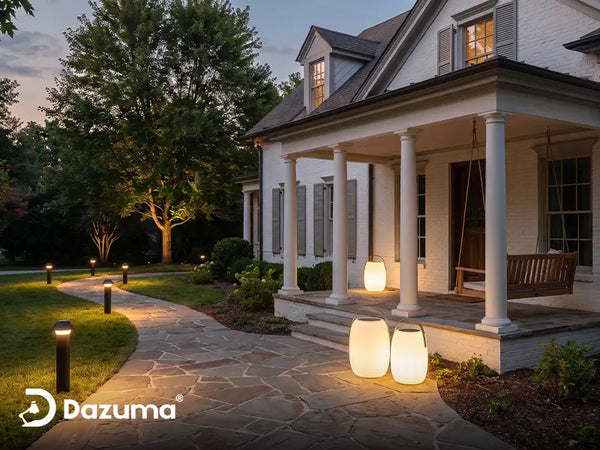
Once the time is correct, walk from the driveway or sidewalk to the door at your usual arrival hour. Are the path, steps, lock, and house number visible before you reach them? Then visit the patio or garden after the time you normally stop using it. These two walks tell you more than a generic “on at six, off at midnight” recommendation.
An entrance may need light through normal arrival hours or longer, while decorative garden lighting can turn off earlier. A short sensor or timer delay may leave the first step dark as someone approaches; test the trigger from the direction of travel. Preserve the visibility of any critical route even if you shorten decorative operating hours. The guide to preparing outdoor lighting for shorter fall days covers the broader path, fixture, and weather checks that go with a schedule update.
Sunset activation follows the season but still depends on a properly exposed sensor or correct location settings. A fixed schedule can also work if you review it as daylight changes. Choose the simplest control that matches the area.
A Two-Evening Test After the Fall Clock Change
- Record the current program. Photograph dial pins or note digital and app events before editing.
- Verify local time and DST setting. Check the timer's clock and whether your area observes the change.
- Review the on trigger. Decide whether a fixed hour, sunset, or photocell should bring each zone on.
- Review the off trigger. Keep an important route visible when it is used; reduce decorative hours where appropriate.
- Confirm AUTO mode. Exit temporary manual override and check power or connectivity status.
- Watch a real dusk cycle. Walk the path before the expected event and immediately afterward.
- Check the off event. Observe or verify when the light actually turns off, including any overnight program.
- Repeat after a second day. This catches a one-time override, lost clock setting, or unexpectedly changing sunset rule.
Use only controls intended for outdoor exposure, and keep plugs and connections in their appropriate weather-protected arrangements. Do not open a wet electrical enclosure or modify wiring to troubleshoot a schedule. If a breaker trips, a control is damaged, or a hardwired timer needs replacement, have a qualified electrician inspect it.
Finish With the View From the Street
A timer can be technically accurate yet leave the front steps dark during actual arrivals. At dusk, approach as a guest would and see whether the lights reveal the route before the first curb or step. Then look from inside toward neighbors and windows to check that late-night light is not unnecessarily intrusive.
Once the schedule works for two nights, record the setting or save a screenshot. The next seasonal check will be faster.

Final Advice
When daylight saving time ends, start by asking what kind of control you own. Correct a manual clock if necessary, verify automatic settings rather than adjusting them twice, and leave a photocell alone unless a separate timer is involved. Then make a second decision about the earlier sunset and the hours your household actually uses each outdoor zone.
The successful test is simple: the route is visible when someone approaches, and decorative lights turn off when their job is done. A few minutes checking the next real on and off cycles is more reliable than assuming a newly displayed time means the whole lighting plan is fixed.