
Who This Is For: This guide is for homeowners creating their first Halloween garden light show, or improving a display that has plenty of decorations but needs a clearer layout and sequence.
Introduction
A garden full of glowing decorations can look festive, yet a light show needs something else: a reason to keep watching. A pumpkin appears, a tree gradually changes color, and a second feature answers across the yard. That movement of attention gives the display a beginning, a little suspense, and a finish.
You can create that effect in a small planting bed or across a larger lawn. Start with a layout people can understand, then decide how much control you need. Buying lights first and figuring out synchronization later often leaves you with attractive pieces that cannot perform together.

The Quick Answer: Build the Scene, Then Add a Sequence
Choose one theme, keep the visitor route steadily illuminated, and arrange two or three decorative groups around a main focal point. Select compatible controls for the effects you want, create a short repeating sequence, and test it after dark from the audience’s viewpoint. Add music or projection only after the basic lighting works.
For a first attempt, one illuminated prop, one background tree, and a simple outline are enough. When choosing Halloween lights, decide whether each piece will provide atmosphere, take part in the sequence, or remain a steady decorative accent.
Choose the Kind of Show You Want
A coordinated display does not have to follow music precisely. These approaches involve different levels of equipment and preparation, so choose the experience before choosing a controller.
| Approach | What Visitors See | What to Confirm |
|---|---|---|
| Preset animated display | Built-in fades, chases, or color changes | Available modes and whether settings are remembered |
| Music-reactive display | Compatible lights respond to detected sound | Audio input, sensitivity, grouping, and supported lights |
| Programmed synchronized show | Specific lighting cues follow a repeatable timeline | Controllers, software, power, and fixture compatibility |
A music mode typically reacts to sound rather than knowing which prop should appear at a particular moment in a song. A programmed show uses a timeline to make those choices repeatable. Neither approach requires filling every second with movement; a quiet, steady scene gives the next change more impact.
Build a Garden Layout With Three Lighting Zones
Zone 1: The Route to the Door
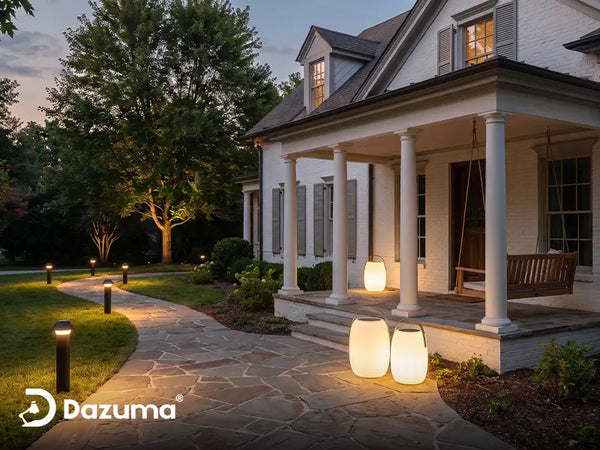
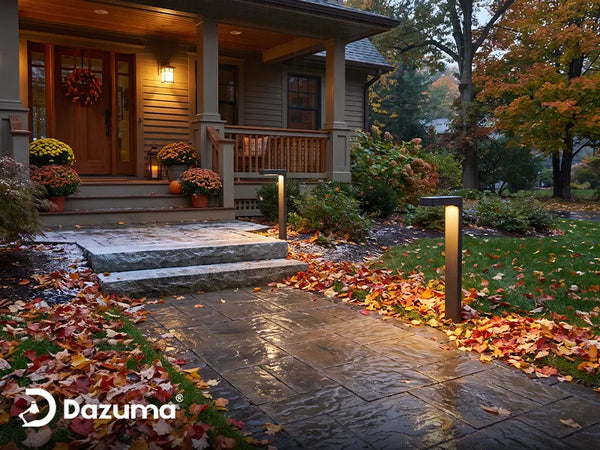
Walk the approach after sunset before placing props. Locate steps, uneven edges, narrow passages, and the spot where visitors will stop for candy. Keep useful illumination on those surfaces throughout every cue. Position decorations beside the route rather than requiring guests to step through the display.
If you need path lights, judge them by what they reveal on the ground. Colored dots along a border can look attractive while leaving the first step obscure. The guide to lighting walkways and steps explains where visibility needs attention.

Zone 2: The Main Scene
Choose something that reads clearly from the sidewalk: a pumpkin grouping, a ghost silhouette, or a cauldron prop. Give it a simple background. A small, well-defined scene usually holds attention better than several equally bright objects scattered across the lawn.
Pick a theme that suits the audience. A pumpkin garden can use orange and warm white; an enchanted grove might use purple with a restrained green accent. Repeat the palette in two places so the arrangement feels connected.
Zone 3: The Background
Use a tree, fence, or plain wall to establish depth behind the main scene. Aim light toward the feature and check for spill into neighboring windows or the street. Keep some background dark; lighting every leaf and surface equally can flatten the garden and weaken the focal point.
Decide where people will watch. A display seen from the sidewalk needs larger, clearer changes than one viewed from patio chairs. Avoid placing a bright source directly behind the main prop unless you deliberately want a silhouette.
Match Each Light to a Job
Directional Lights Reveal Props and Trees
Use outdoor spotlights when the target needs definition. Test the position before fastening anything permanently. Move the beam around a prop to see how side lighting changes its texture and shadow, and choose an angle that keeps the light out of approaching eyes.
String Lights Draw the Frame
A fence outline or a short overhead strand gives the scene a boundary. Measure the actual route, including drapes, separately from the distance to the power source. Confirm illuminated length rather than relying only on the advertised overall length.
Choose outdoor string lights with mounting and operating instructions suited to the location. For practical placement options, see how to hang outdoor string lights.

Projectors Need a Clear Surface
Try a plain wall or garage door with little competing light. Check focus and image size in the actual location before planning around an advertised coverage figure. Keep the projected image within your property, and secure the unit where guests will not walk through its beam or trip over its cable.
Lanterns and Solar Accents Supply Atmosphere
Use self-contained lights for details that do not need precise timing. Solar lights depend on charging conditions and generally operate independently unless their system explicitly supports coordinated control. A glowing lantern can remain steady while compatible wired or smart fixtures perform the show.
Try This 90-Second Show Sequence
The following is a design example for a system that supports separate groups and timed cues. Adapt it to the functions your equipment actually provides. Keep the route lighting steady throughout, and build the decorative sequence around three groups: the main prop, the background, and the outline.
- 0–20 seconds: Establish the scene. Illuminate the outline gently and let the main prop become visible. Keep the background quieter.
- 20–40 seconds: Reveal the garden. Bring up the tree or wall light gradually while the main prop holds steady.
- 40–60 seconds: Shift attention. Change one background color or introduce one slow effect. Leave the outline stable so the change feels deliberate.
- 60–75 seconds: Bring the groups together. Let the main scene and background reach their planned peak without adding rapid flashes.
- 75–90 seconds: Return to the opening. Ease the decorative groups back toward their initial settings so the loop can restart smoothly.
If your system only supports preset effects, simplify the idea: keep two groups steady and give one group a slow fade. Several independent chasing patterns rarely appear synchronized just because they start at roughly the same time.

Choose Controls Before Buying More Lights
Check Compatibility Across the Whole System
For a programmed show, confirm which fixtures the controller supports, how they receive commands, and what power supply they require. Ordinary RGB lights, individually addressable pixels, and conventional dimmable strands are different systems. A plug that fits does not establish control compatibility.
Light-O-Rama’s system guidance, for example, describes separate controller arrangements for traditional lights and smart RGB equipment. Follow the documentation for your chosen system rather than assuming one controller can animate every decoration.
Use Timers for the Schedule
A compatible timer or smart plug can set operating hours, but it does not automatically create a lighting sequence. Some lights remember their last mode after power returns; others restart in a default pattern. Test that behavior before relying on a nightly schedule.
Add Audio Once the Visual Sequence Works
Start with a short track or soundscape, keep volume appropriate to nearby homes, and test it at the property boundary. Use slow changes around musical phrases rather than making every beat trigger a flash. The display should still make sense to a passerby who cannot hear the audio.
Install and Test the Display
Set out the main pieces in daylight, leaving access to switches and controllers. Follow the equipment’s outdoor-use instructions, load limits, and mounting requirements. Secure lights without piercing or crushing insulation, and keep connectors out of standing water using the protection specified for the system.
Use suitable outdoor-rated cords and an appropriate GFCI-protected supply for plug-in equipment. Check the ratings of adapters, controllers, and battery boxes as well as the lights. Keep route lighting independent of decorative cues, and turn decorative equipment off before sleeping or leaving home.

Run the Full Loop From the Audience’s Position
Watch every transition from the sidewalk, then walk to the door. Look for glare, a disappearing step, an overly bright background, or a controller that resets unexpectedly. Test the show after switching the system off and back on.
Skip fog on the first setup unless it serves a clear purpose. If you add it later, follow the machine’s placement and ventilation instructions and keep it away from the walking route. Placing an ordinary fog machine low does not guarantee a ground-hugging effect.
Fix Common Light Show Problems
- The garden looks busy: Pause all but one animated group and reduce the number of competing colors.
- The focal point disappears: Reduce nearby background light or reposition the light on the main prop.
- The sequence drifts: Check whether devices share a supported timing system rather than running independent presets.
- The show feels abrupt: Lengthen the opening and closing scenes, or choose slower transitions.
- It exceeds the budget: Reuse the existing porch and path lights, focus on one garden corner, and postpone projection or audio until the basic scene works.
How Can I Make the Display Family-Friendly?
Use recognizable pumpkins or friendly silhouettes, slow changes, and moderate sound. Keep steps steadily illuminated and leave the approach free of props and cords.
Can I Leave the Show Running Overnight?
Turn decorative equipment off before sleeping or leaving home. Set a suitable shutdown time and follow each device’s operating instructions.
Give Your Garden a Show Worth Watching
Build one clear scene, create a few deliberate changes, and test the result from where visitors will stand. A small show with good timing can feel more engaging than a yard full of unrelated effects. Keep the first version manageable, then expand the parts people enjoy most.